
Mica is a content editor for Astro that saves to files in your Git repository, so your website stays static and needs no database and no content API. The website never needs Mica: run it only while somebody edits.
Mica 0.16.0: localization for multilingual websites
Open source · Git-backed
Edit your Astro content. Keep it in Git.
How it works
Your Astro website stays an Astro website.
You describe the content in TypeScript. Mica gives editors forms for it and saves their work as files in Git. Astro reads the files through Content Collections and builds the static site. Mica looks after the content, and Astro serves the website.
- 1
Content model
src/mica.ts
You write it once, next to your pages.
- 2
Files in Git
JSON, Markdoc, media
Editors and coding agents change them in Mica.
- 3
Astro build
Content Collections
Your build and your host, as they are today.
- 4
Static website
HTML on any host
Visitors never reach Mica.
What you write: the fields, labels and rules, in one file
export const site = defineSite({ root: "./content", collections: { news: collection({ label: "News", fields: { title: text({ label: "Title", required: true }), id: id({ from: "title" }), image: media({ label: "Image", alt: "required" }), body: richText({ label: "Text" }), }, }), },});What a publish adds: one commit with the changes the editor chose
- "title": "Opening hours",+ "title": "New opening hours", "id": "opening-hours", commit 3f07610 New opening hours Published-with: MicaWhy it stays small
Less between your content and your website.
No database, no CMS at runtime
Your website builds from files in Git. There is no content database to run, no content API to call, and no CMS service that your pages wait for.
Made for Astro
One TypeScript model gives the editor its forms and Astro its Content Collections, with types and validation. Fields go to JSON, rich text to Markdoc.
Your repository, your deploys
Content has a history that you can read and review. Publish makes a commit, and your build and your hosting stay as they are.
One collection at a time
Start a new Astro site with Mica, or add it to an existing one. Move the collections that people edit, and keep the others in Astro.
Get started
Start with your coding agent, or by hand.
Set up a new Astro site with Mica, or add Mica to a site that you have. A coding agent reads the setup guide, asks about your content and shows you a plan before it changes anything. Or install Mica by hand.
Paste this prompt into your coding agent, such as Claude Code or Cursor.
Read https://mica.build/setup.md and extend this existing Astro project to work with Mica.
Paste this prompt into your coding agent, such as Claude Code or Cursor.
Read https://mica.build/setup.md and create a new website with Astro and Mica in this folder.
Run these commands in a terminal, in your Astro project.
# 1) Install the Mica packagesnpm install @micacms/astro @micacms/core # 2) Describe your content model; see https://mica.build/docs/content-model/ # 3) Start the local Mica editor, with the live previewnpx @micacms/editor start --previewEdit and preview
Edit content. See the result. Publish when ready.
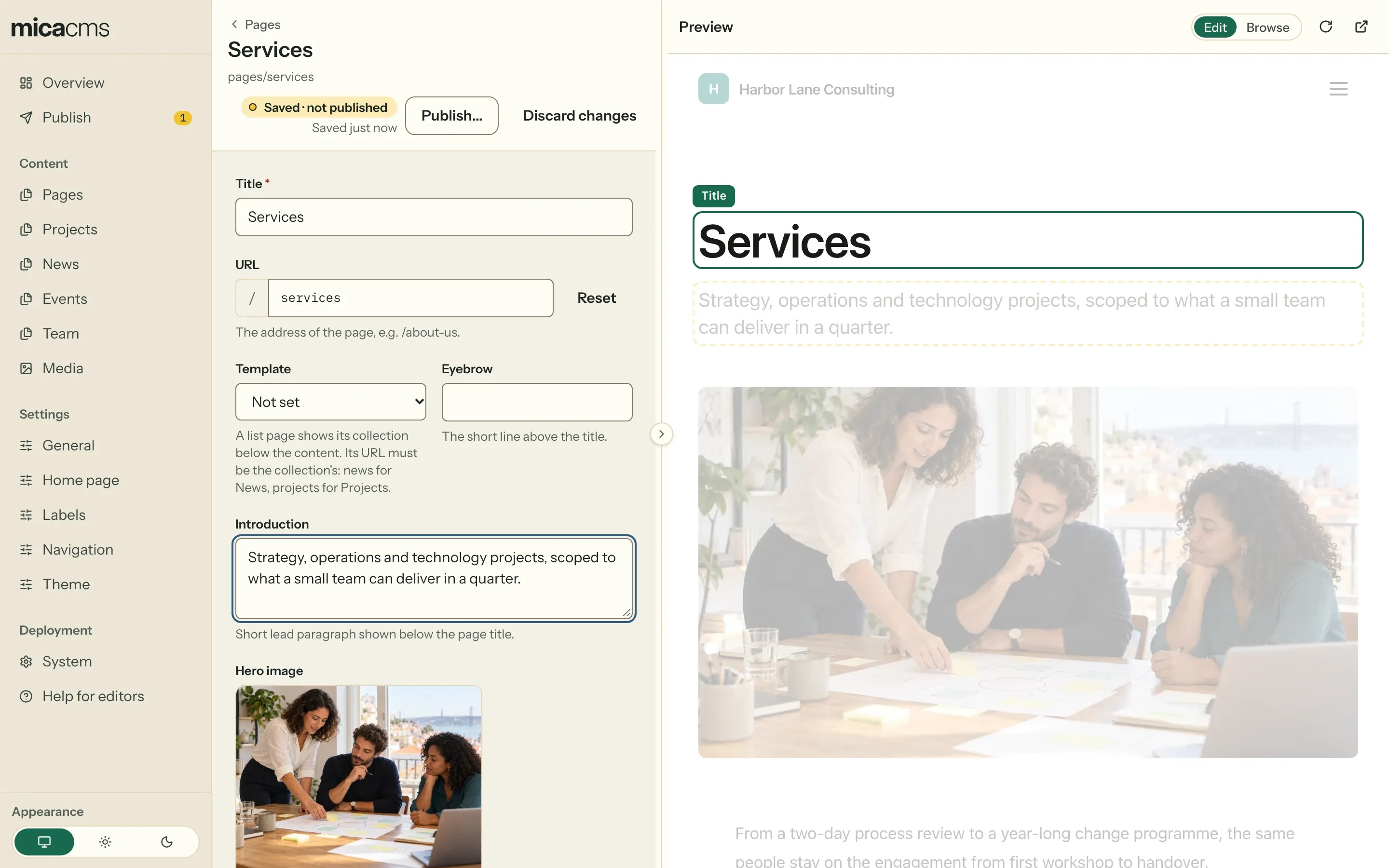
Mica turns the model into forms for text, structured data, rich text and media. The form saves drafts by itself, and the real Astro page beside it shows them a second after you stop typing. Click a heading, a paragraph or an image on the page, and the cursor goes to its field. Publish puts the changes you choose on the website.
- Your templates stay as they are: one line in astro.config
- Changes that are not published yet have an outline of their own
- Local: beside astro dev. Self-hosted: with an optional preview container
- Forms beside the page, not a page builder
{ "title": { "en": "New opening hours", "de": "Neue Öffnungszeiten", "de-ch": null }, "id": "opening-hours", "summary": { "en": "Open from 8:00.", "de": "Ab 8 Uhr geöffnet.", "de-ch": null }}Localization
Every language of a page, in one entry.
Mark a field as localized, and it keeps a value for each language of your site, in the same file. Editors choose the language at the top of the form and see what still needs a translation. Astro builds a page for each language, with the locales of its own i18n.
- A language switcher in the form, with the number of missing translations
- Beside each translated field: its other languages, ready to reuse
- A missing translation falls back to another language, such as Swiss German to German
- The live preview shows the page in the language of the form
- An address for each language, such as /de/news/opening-hours/
Run it your way
On your laptop while you build. On your server for your team.
Both edit the same files in the same repository, and the website depends on neither. The choice is who edits, and where the editor runs.
Local editor
Runs on your machine, on your Git checkout, beside astro dev with the live preview. Only your machine can reach it. Publish commits and pushes with your own Git credentials.
npx @micacms/editor start --previewWhat you need
- Node.js 24 and an Astro 7 project
- A Git repository, and Git LFS if you use it
- No sign-in, no account, no database
Self-hosted editor
A container on your server. Editors sign in through your identity provider, for example Google. Mica keeps its own Git clone on a volume, with Git LFS built in. An optional second container gives the live preview.
ghcr.io/micacms/micaWhat you need
- A server with Docker Compose and one volume
- HTTPS in front of it
- An OpenID Connect client
- A token that can push to the repository
- For the live preview: the preview container and a second host name
Agents
Your agent edits too. It saves drafts, like everybody else.
Mica has an MCP server built in. Claude Code, Cursor, VS Code or any other MCP client can read your content model and change your content, with the same checks as the editor. You do not need an agent to use Mica.
- Reads the content model, and Mica checks every value
- Saves drafts. Publishing by an agent is off, unless you turn it on
- Sends the revision it read, so it never overwrites a newer save
- Works with the local and the self-hosted editor
{ "mcpServers": { "mica": { "type": "http", "url": "http://localhost:6422/mcp" } }}What it handles
Enough for real content.
The parts that are hard to keep in order without a CMS: links between entries, many media files, and content apart from the code.
Fields for structured content, with relations
Each field has a label and rules, and Mica checks every value. Relations link entries across collections, such as an article to its author or a project to its team, and also to the items of a JSON or CSV file. When an entry gets a new ID, Mica offers to update the links to it.
The content model- Text
- Rich text
- Numbers and dates
- Choices and tags
- Lists and groups
- Images and files
- Places on a map
- Relations
- Reference data
Images and files, also in Git LFS
An image can require alt text. Editors drop a whole set of photos on a field, and GPX, PDF or CSV files go next to them. Git LFS keeps large files out of your normal Git history.
Large files with Git LFSContent apart from the code
Put the content in a repository of its own, as a Git submodule, so that content and presentation stay apart. Editors publish there, and Mica never commits in the website's repository.
Content in its own repositoryIs Mica for you?
Small on purpose.
Mica is for content-driven Astro websites whose owners want static builds and Git as the source of truth. It is experimental and not ready for production. Here is what it does not do, so that you can choose well.
A good fit
- A content-driven Astro website: a company site, a blog, documentation
- A website in one language, or a multilingual one
- One developer, and two to five people who write
- Content in Git, as files that people can read
- A static website with no CMS code in it
Not a good fit today
- Roles or approval steps inside the editor
- A page builder, or typing text directly into the page
- Many websites from one editor
- A 1.0 promise: the API and the content format can still change
- 1,000
- entries in one collection
- 5,000
- files in the content root
- 5
- editors at the same time
Tests check these numbers. Above them, Mica can work, but nobody measured it yet.
Add content editing without replacing Astro.
Try Mica on your laptop, with a new or an existing Astro site. Put the editor on your server when other people need it in their browser.